
How to Issue a Refund in Stripe
To issue a refund for an order your processed through Strip, follow the below steps.
View the Order in SiteManager
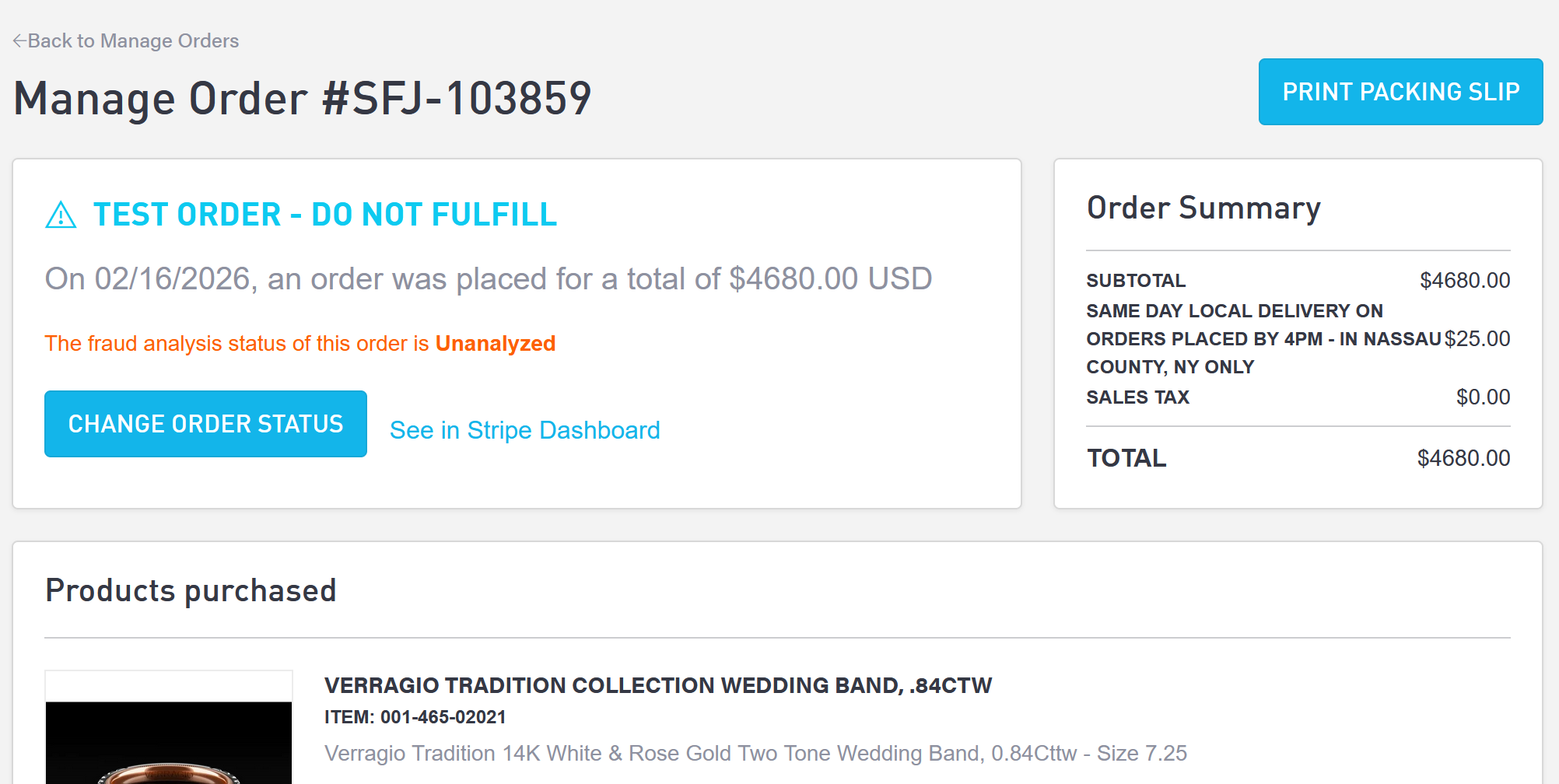
Navigate to Commerce > Orders, and then View the order you wish to refund. Select “See in Stripe Dashboard” which will bring you to Stripe in a separate window.
Refund the Order in Stripe
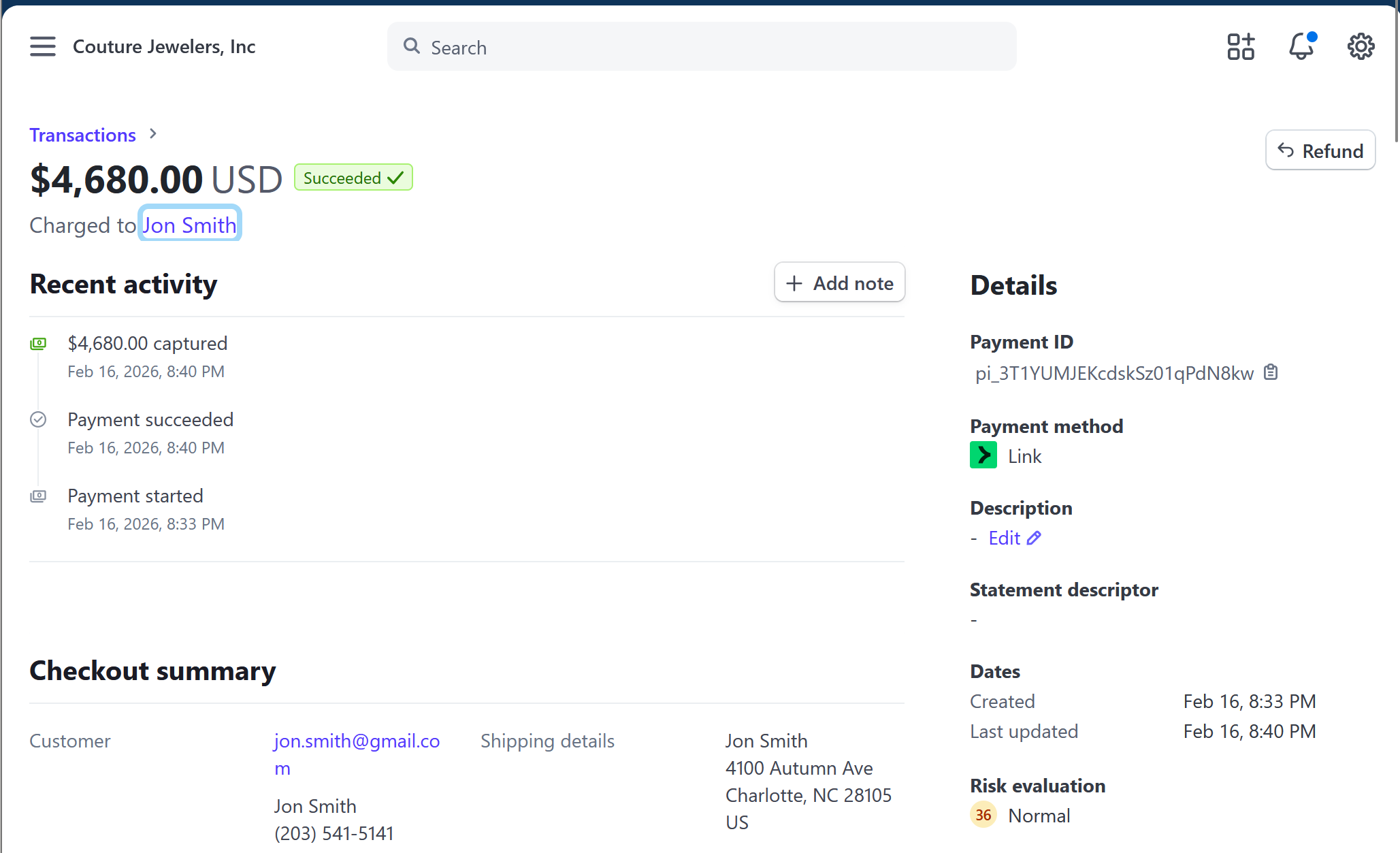
In the Stripe Order page, select the “Refund” button which will launch a popup modal.
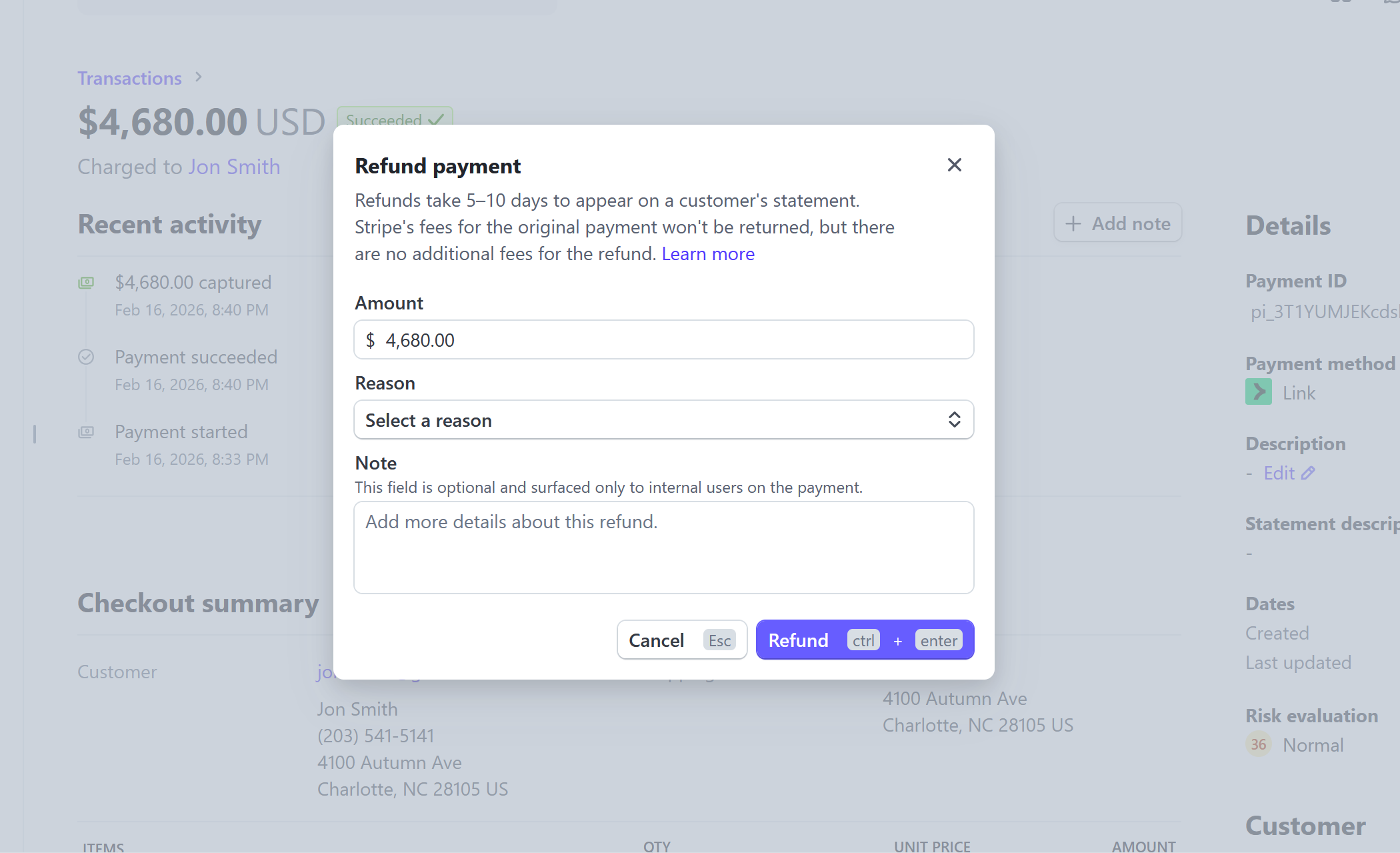
Enter the amount you wish to refund (defaults to entire transaction), select a reason, and enter a note (optional). When completed, select Refund.